Sunday, October 31, 2010

Direct Connect Messengers , No Need to Install on Computer


If you are in College or in Office, and You want to Chat with Your Friends, then don't need to Download & Install the Messenger on System.Just Open the Website & Use &Connect your Account Directly on MSN , Yahoo, AOL, GoogleTalk Messengers.

For Link Click Here

Windows 7 Editions & Detail


Microsoft released Windows 7 , users have to choose an edition that better suits to their requirements. In this blog, we will try to compare all four editions of Windows 7, namely ‘Starter’, ‘Home Premium’, ‘Professional’ and ‘Ultimate’.

‘Starter’, the basic one: Starter is a very basic edition of Windows 7, which is made to provide you the basic user experience, it will allow you to use Windows 7 OS with low available computer resources, and this operating system also does not have multimedia capabilities with it.

Common Features for Windows 7 ‘Home Premium’, ‘Professional’ and ‘Ultimate’ Editions: All three editions of Windows 7 have multiple features available with them, like all these editions have many enhanced customization options for taskbar, desktop and program menus. All three editions of Windows 7 have support to create home network with ease, they all have built-in Microsoft Internet Explorer 8 browser, and you can also watch and record TV on the PC.

Features Common in Windows 7 ‘Professional’ and ‘Ultimate’ (not available with ‘Home Premium’): Both, Windows 7 Professional and Ultimate have the feature to run most of the Windows XP based softwares, these edition support ‘Windows XP Mode’ enabling users to run applications developed for Windows XP. Domain based networking is available for these two editions, they also provide the feature to take system’s full backup and restore it.

Features available only with Windows 7 ‘Ultimate’: This edition has some additional features that includes data encryption tool ‘BitLocker’, which provides data protection for PC and portable storage devices, which provides you the data protection against theft or loss. This edition of Windows 7 also has support for 35 different languages enabling you to work in language of your own choice, which makes ‘Ultimate’ a multilingual edition.

Which edition is right for you?

Microsoft Windows 7 ‘Starter’ is recommended for users who want basic operating system capabilities, this OS is optimized for use with netbooks and notebooks with low hardware resources.

Windows 7 ‘Home Premium’ is more suitable for the home users who want a better multimedia experience. It has a price tag of $119.99.

Windows 7 ‘Professional’ provides better security, backup and restore features, this edition is recommended for business use, but home users who have to connect to their company network securely will also need this edition of Windows 7. The price of this edition is $199.99.

Windows 7 ‘Ultimate’ provides you the most powerful features, it has all the capabilities available with other editions of Windows 7 plus the features of data encryption and multilingual support, this edition is recommended for advance corporate users. The price tag of this edition is $219.99.


Google Transliterate


Google Transliteration a Web Base Language Conversion to Any Language.

for English to Urdu Translation Click here

for Roman Urdu to Any Language Converter Click here
Turn USB Storage Device into Bootable Disc


Turn USB Storage Device into Bootable Disc

Ever had the problem of having a computer without a floppy drive and needing to boot into DOS?

This file will turn a USB Storage device into the equivalent of a bootable floppy, with also the added extra of having the DOS interactive version of Norton Ghost

Instructions:

1.Please note that when extracting files from the zip to make sure you have the "Use Folder Names" option Checked

2.Install SP27213.exe

3.Run the installed application

4.Select apporpraite device, file system and volume label

5.Check Create DOS Start up Disc and then click sub option of "Using Dos System Files Located at"

6.Select the folder DOS System Files (These are for Win XP Only, for all other OS you will need to download the files from somewhere)you just extracted from the zip

7.Click Start

8.Copy Folder GBDF over to USB Device To have Norton Ghost Installed

Warning: This Process will format your USB Device

Size 5.43 MB

Download

Microsoft Fix It Center Online: Automatically Detects Windows Problems & Repairs Them


Microsoft Fix It Center Online is a free tool by Microsoft that automatically detects any problem in Windows & repairs it. It’s currently in BETA stage.

Microsoft Fix it Center makes getting support easier than ever, with tools that help solve the issues you have now and prevent new ones.


  • Easy to Install and Run: Easy-to-use wizards will guide you through the set-up process and help you anytime you need support.
  • Automated: With automated troubleshooters, Fix it Center helps solve issues with your PC, even if you’re not sure what the exact problem is. Fix It Center scans your device to diagnose and repair problems, then gives you the option to “Find and fix” or to “Find and report.
  • Preventive Care: By helping you find and fix issues before they become real problems, Fix it Center helps keep your PC running smoothly and automatically downloading the latest solutions.

Fix it Center works on:

* Windows XP SP3
* Windows XP Pro (64-bit) SP2
* Windows Vista
* Windows 7
* Windows Server 2003 SP2
* Windows Server 2008
* Windows Server 2008 R2


Click to Download


CheckDrive: Freeware to Scan and Fix Hard Drive Crash and Errors


CheckDrive offers you an easy way to check your hard drives for errors. CheckDrive may detect and fix hard drive errors that might appear on system crashes or when switching off your PC without a proper Windows shutdown. If you ever had a system crash then CheckDrive is for you.

CheckDrive offers you an easy way of checking your PCs hard drives for errors. Those errors can be fixed immediately if you like.

It also shows info about your drives and determines if your hard drive needs to be cleaned or defragmented.

It provides ribbon interface which looks good.

Its absolutely free and can be used in Windows XP, Vista and 7.

Once you install it, you'll need to get your free code to use the program. Just run the app and enter your email ID, first name and last name and submit the details. It'll immediately send the free code to your email.

Click to Download
How to make Bootable CD???

I Heard from many Student's asking what is Bootable,whats the use of it and how to make bootable CD.After reading this tutorial you will be saying that making bootable CD is the easiest job I have ever done.

So lets start :

1- First copy all data from your XP Installation CD (Specially i386 folder) to a folder say "INFRA".
2- To make a Bootable CD first we have to add all data to MAGIC ISO.
3- To Download Magic ISO Maker Click here
4- Install & Register it with Serial given with Setup.
5- After installing it open it and go to add files and add all content from "INFRA" folder made above.

See this screen shot for help

1-
Click on Add Directory/Folder Button or Drag a Folder to Top


2- then Click on Tool then Click Load Boot Image


3- Click in "From Bootable Image File" then Click Browse & Select Boot.bif file & Burn the CD or Click Save as ISO to save it to Your Hard Disk as a Backup Bootable CD.

Download :
1- Magic ISO Maker
2- Boot.bif


Sunday, October 4, 2009

Norton Anti Virus Corporate Edition


Norton AntiVirus combines industry-leading, real-time malware protection for desktops and servers with graphical web-based reporting, centralized management and administration capabilities. For next generation antivirus protection which combines Norton AntiVirus with advanced threat prevention to protect endpoints from even the most sophisticated attacks.

Note: No Registration Required.
Tested on Win 2000 Pro/Server/Advance Server/Server 2003/Xp.

Link : Download
Download Virus Definition Click Here


Saturday, October 3, 2009

Microsoft Security Essentials ( Microsoft Anti Virus)


About :

Microsoft Security Essentials provides real-time protection for your home PC that guards against viruses, spyware, and other malicious software.

Microsoft Security Essentials is a free* download from Microsoft that is simple to install, easy to use, and always kept up to date so you can be assured your PC is protected by the latest technology. It’s easy to tell if your PC is secure — when you’re green, you’re good. It’s that simple.

Microsoft Security Essentials runs quietly and efficiently in the background so that you are free to use your Windows-based PC the way you want—without interruptions or long computer wait times.


Download (for Windows XP)

Download (for Vista & Windows 7)


Friday, August 14, 2009

GFI WebMonitor for ISA Server v3.41 + Keygenerator


GFI WebMonitor is a utility for Microsoft ISA Server that allows you to monitor the sites users are browsing and what files they are downloading – in REAL TIME. In addition it can block access to adult sites as well as performing anti-virus scanning on all downloads. GFI
WebMonitor is the perfect solution to transparently exercise a degree of access control over users’ browsing habits and ensure legal compliance – in a manner that will not alienate your network users!

Download


Recycler ( jwgkvsq.vmx) Virus Removal (Most Wanted)


KK Recycler Virus Removal is introduce from KasperSky AntiVirus, A Little removal tool which will remove Recycler virus which is known as "Kido Worm" from your computer very Easily.Not required any installation just run "KK" & it will work itself.i test it myself & works fine.Recycler( jwgkvsq.vmx) virus.

Effect of Virus : When Recycler ( jwgkvsq.vmx) Virus is in your pc , you can't access Anti Virus Websites also Microsoft Website.The Virus prevent you from these website.It interfaces with up to 500 servers and runs malware/DDoS processes using your PC/network, causing huge traffic demands (and subsequent) performance/workload slow downs.

Download if not working then Click Download2

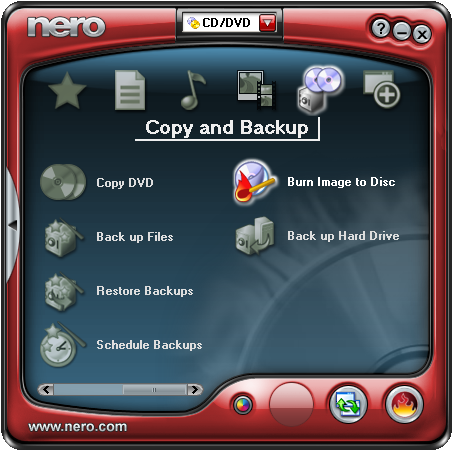
Nero_7_Lite_7.9.6.0_Final


Nero Burning ROM is probably the best all-in-one CDR / DvdR / Blu-ray application on the market.

Nero combines huge amounts of features in a compact and easy to use package. It handles disc duplicating and pre-mastering with ease, supported by a cover designer and even an audio file editor. The excellent GUI desing keeps all the functions handy and guarantees that simple tasks can be done quickly.

If you have to settle with just one CDR / DVDR / Blu-ray burning Softwares, then Nero would be it.


Download

USB_Disk_Security_v5108


USB Disk Security for Windows

Award-winning protection to secure your PC against threats from USB drive.

USB Disk Security is a top-rated antivirus utility that protects your PC against any threats via USB storage.

Use this Serial to Register it: ( Name : admin Serial : BHHAB17701)

Download

RRT_Really_Nice


RRT with AutoRemove enabled will monitor your system and detects any flash disk as soon as it gets plugged into the USB port. The generic technique will work in less than few milliseconds , if it detects any Infection in the flash disk, it will block it and remove the infection before it makes any harm to your computer.

In Simple word REMOVE restriction which allow from Virus into your OS.

Download now

Win98__Bootable


Its ISO Image just to Import it to Virtual PC (Any Version) to Practice from Windows 98 Bootable Disk for Create Partition of Virtual Hard disk from Fdisk tool, format it , delete it.The Iso image size is just 13 MB. (Speacially Uploaded for INFRA Students)

Download

Windows Worm Door Blocker


Windows Worm Door Blocker/Cleaner,
To Block the port of your PC to prevent virus.Best for solution of Generic Host Error.
Download

Hiren Boot CD v9.5 ISO


All in One Bootable CD which have lot's off utilities
Download

USB_Vaccine


USB Vaccine is a free utility from Panda Security Research which helps prevent malware infections due to the autorun feature of Windows Operating Systems. Once executed the user can choose two types of vaccinations: Computer Vaccination or USB Drive Vaccination. USB Vaccine allows users to vaccinate their PCs in order to disable autorun completely so that no program from any USB/CD/DVD drive (regardless of whether they have been previously vaccinated or not) can auto-execute. This is a really helpful feature as there is no user friendly and easy way of completely disabling autorun on a Windows PC. Panda USB Vaccine can be used on individual USB drives to disable its autorun.inf file in order to prevent malware infections from spreading automatically.

Download

Real VNC


VNC is remote control software which allows you to view and fully interact with one computer desktop (the "VNC server") using a simple program (the "VNC viewer") on another computer desktop anywhere on the Internet. The two computers don't even have to be the same type, so for example you can use VNC to view a Windows Vista desktop at the office on a Linux or Mac computer at home. For ultimate simplicity, there is even a Java viewer, so that any desktop can be controlled remotely from within a browser without having to install software.

Full Version : Download Vnc Viewer Only : Download

ISA Server 2000 Enterprise Edition


ISA Server 2000 Enterprise Edition (with Serial Key)


Download ISA Server 2000 Enterprise Edition with Serial number.

Download

counter

HTML hit counter - Quick-counter.net